Daily workflow
Import broker statements and check duplicates
Map broker statement fields, review duplicate detection, and verify imported trades.
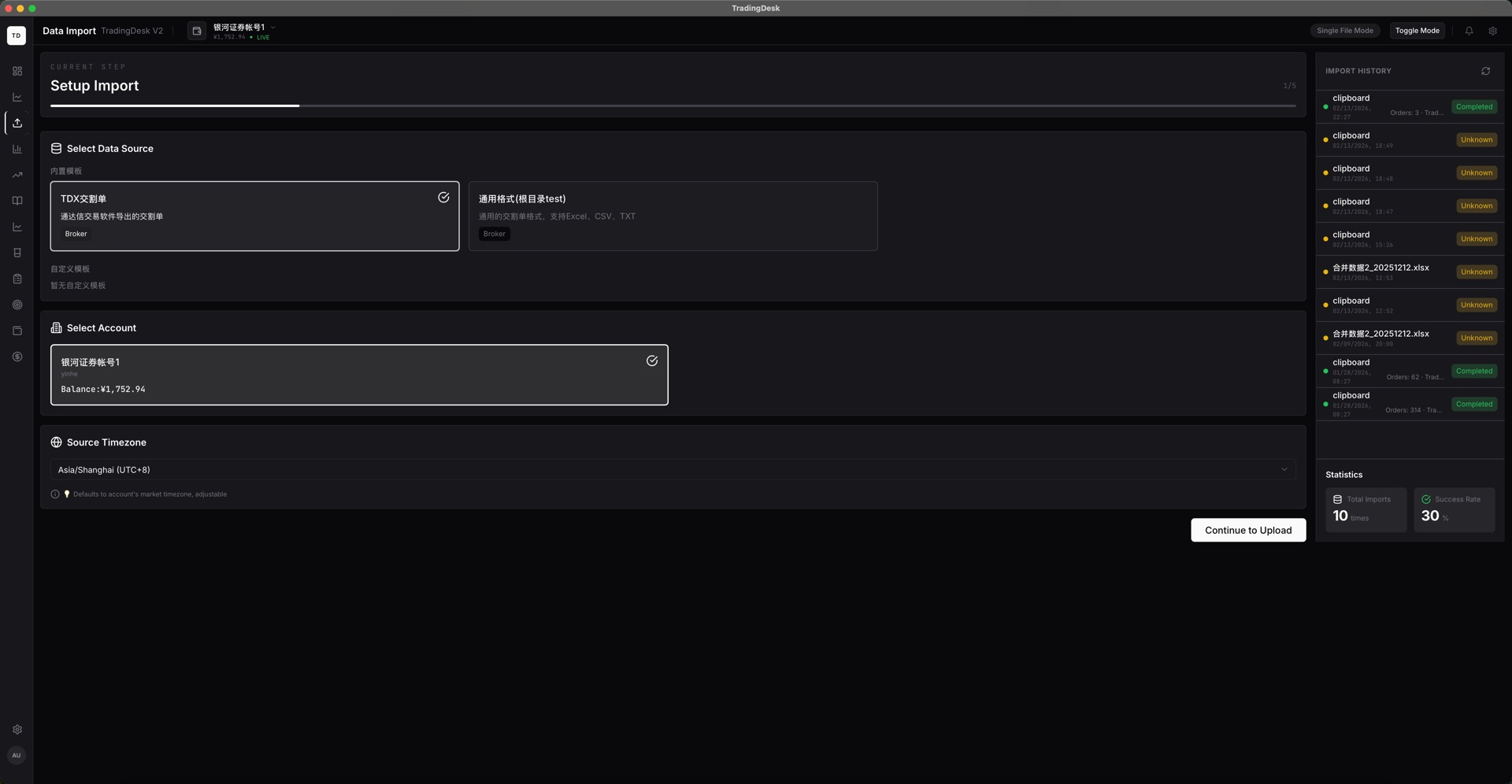
Open Data Import, select the target account and data source, then add an Excel or text broker statement. TradingDesk uses the source configuration to recognize common fields.
Review the field preview and validation messages. Duplicate records are skipped; unknown fields or dates should be corrected in the source file first.
After the import, verify execution quantities, fees, position sizes, and the account balance before reviewing performance.