Trade journal and plans
Keep plans, orders, executions, screenshots, and review notes with each trade.
TRADINGDESK · TRADING JOURNAL WORKSPACE
TradingDesk is local-first trading journal software for recording stock trades, importing broker statements, comparing plans with executions, and reviewing P&L, drawdown, and strategy performance.
macOS / Windows / Linux · Trading data stays local by default
Download desktop app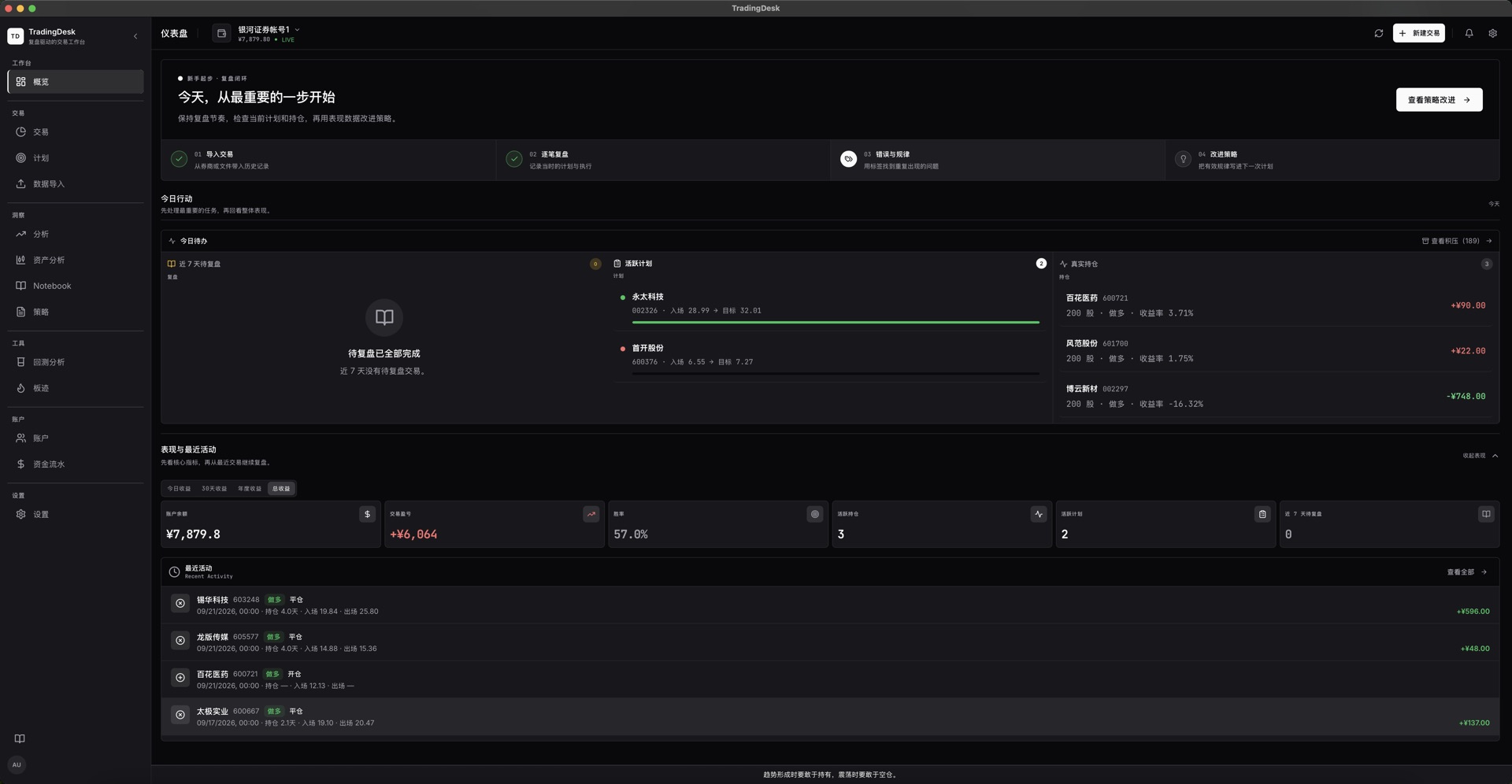
Keep plans, orders, executions, screenshots, and review notes with each trade.
Import Excel, CSV, and text statements with field previews and duplicate checks.
Review win rate, profit and loss, drawdown, and equity by symbol, strategy, and time.
Review execution on market charts and test strategy rules against historical data.
Bring journals, plan execution, and reviews together in printable period reports.
Back up and restore local data; optionally use configured AI services to organize review prompts.
TradingDesk is desktop software for recording stock trades, plans, executions, and reviews. It does not place broker orders or provide stock picks or investment advice.
Choose Data Import, select an account and matching source, then load an Excel, CSV, or text statement. Review field mapping before import and verify executions, fees, and positions afterward.
Trade records and market caches stay in a local SQLite database by default. Sign-in, entitlements, release checks, market data, and online services you choose to use connect as needed.
Review plans, orders, executions, and notes per trade, then analyze P&L and drawdown by strategy. Backtesting applies supported exit rules to historical market data.
Trade records and market caches are stored in a local SQLite database by default. Your website account is used for desktop sign-in and entitlement checks. Market data, release checks, and online services you choose to use connect as needed. TradingDesk records and analyzes trades; it does not place broker orders or provide investment advice.
Set up an account, import a broker statement, and start reviewing trades.
Map broker statement fields, review duplicate detection, and verify imported trades.
Compare trade plans and executions, then analyze performance by strategy and date.
Keep accounts, trading journals, strategies, plans, and settings in local backups.
Learn what stays on your device and why the app connects online.